
How Can We Help?
Comparing Quotes
Once you have generated a new quotation, you will have the ability to compare quotes side by side.
Click on the compare tick box located in the last column on each lender quote, check the box on the quotations you wish to compare.
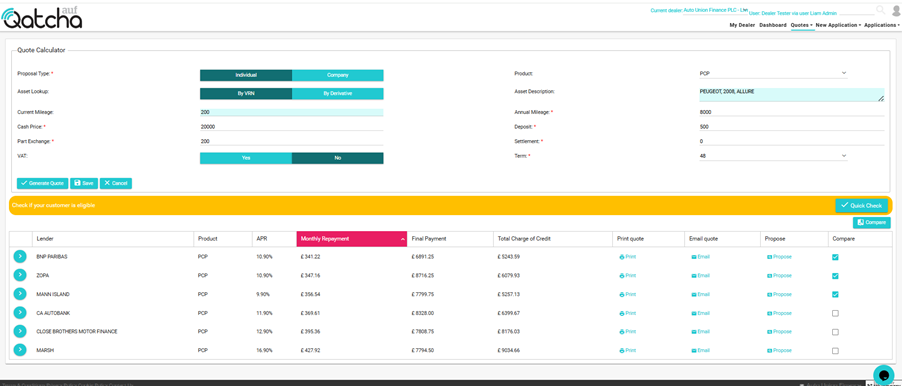
Once you have selected more than one quote a compare button will appear:

When you have finished selecting all the quotes you wish to view, click on Compare
A popup will appear with each quote listed side by side.
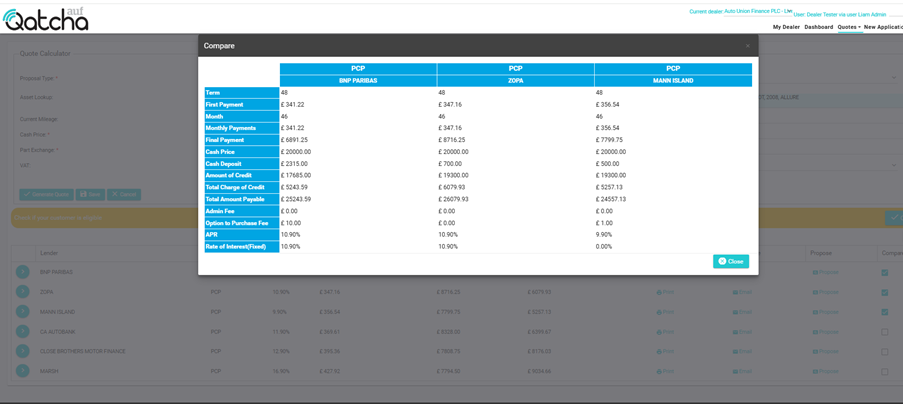
See related topics: