
How Can We Help?
Documents and task Tab
The documents and task page contains a list of all the open Tasks and any documents that have been uploaded to the application for you to view.
Click on the “Documents and Tasks” tab to be taken to the page.

The first table will list all the tasks, while the second table lists all the documents.
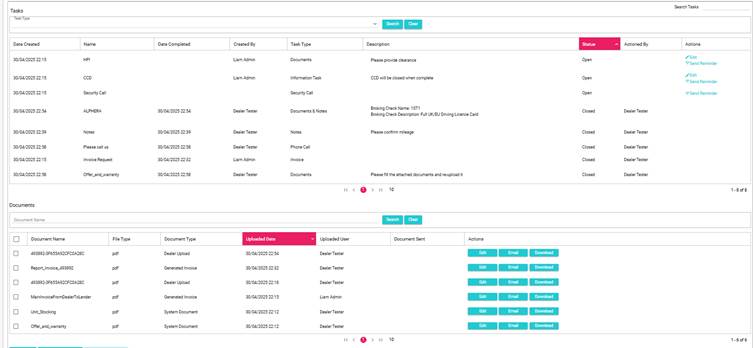
Tasks:
On the tasks table, you will be able to see any tasks that are open. To learn more about tasks, visit tasks
You can also complete any open task by clicking on Edit, or even send a reminder to the customer by clicking on the Send Reminder button.
Documents:
Documents will be listed in the second table, Here, you can edit (replace) the file, email a copy to yourself, or download the file.