
Personal Details – Including Address and Employment
Providing the correct information at the proposal stage will assist with the correct decision being made for the customer.
To get started, provide the information against each line.
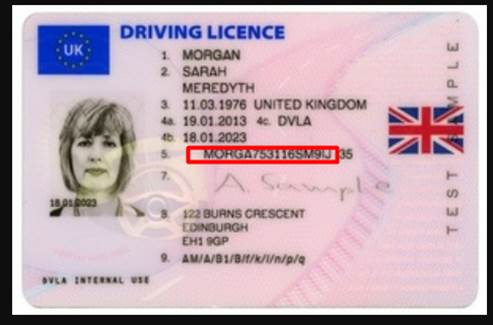
Driving licence number:
Providing this at the proposal stage can assist lenders in making a faster decision and result in faster payout, as it will satisfy the identity requirements.
Please note that the driving licence number must be the FULL number, including the letters.
Mobile and Email validation:
Mobile numbers and email addresses entered on the application form will be validated against a third-party verification service provider.
You will be notified of any invalid entries using the check marks located on the application form.
Note, you may see a yellow warning triangle; this means that the details can not be verified, but could be correct. This is common with company email addresses where IT administrators hide the users to prevent phishing attacks.
Adding Address
Address appears as pop-ups; we require 3-year address history against each application.
To get started, click the “+ Add Address” button
Start by entering the postcode and clicking the lookup icon.
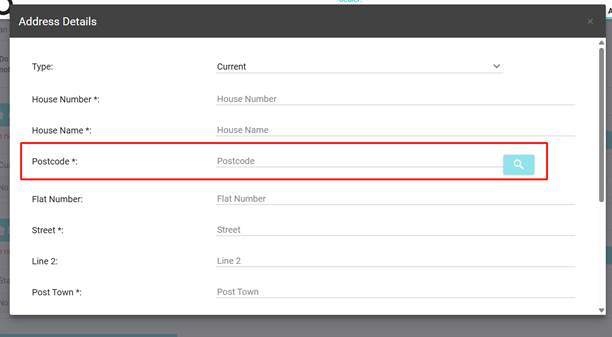
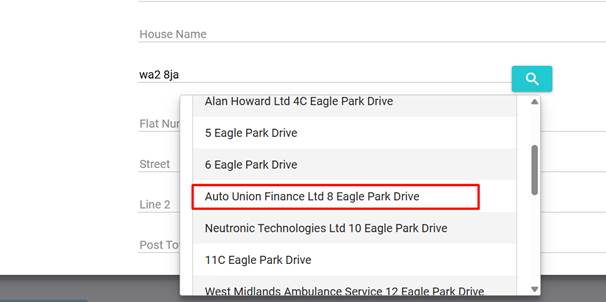
A pop-up will appear, select the correct address from the pop-up (this will auto-complete the form)
Scroll down and complete the remaining information. Once complete, click save.
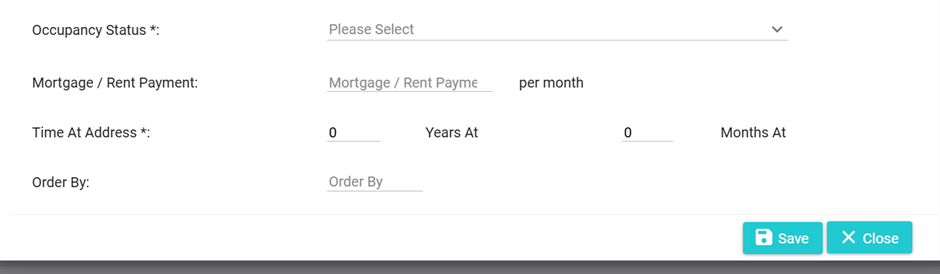
If you need to add any additional addresses, simply repeat the process.
Employment
Employment appears as pop-ups; we require 3 years of employment history against each application.
To get started, click the “+ Add Employment” button
Start by adding the employment details.
Note that selecting benefits from the Job Category will bring up a table,.
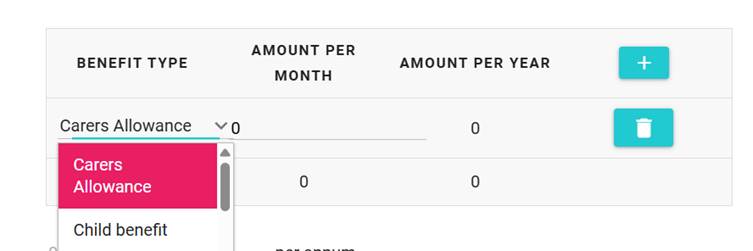
Benefit breakdown
It’s important when providing benefits that the correct type is selected, as some lenders will only accept certain benefits.
Simply press “+” to add a benefit.
Select from the drop-down the benefit type, enter the amount per month, and the amount per year will be calculated.
You can add multiple benefits by simply pressing the “+” icon.
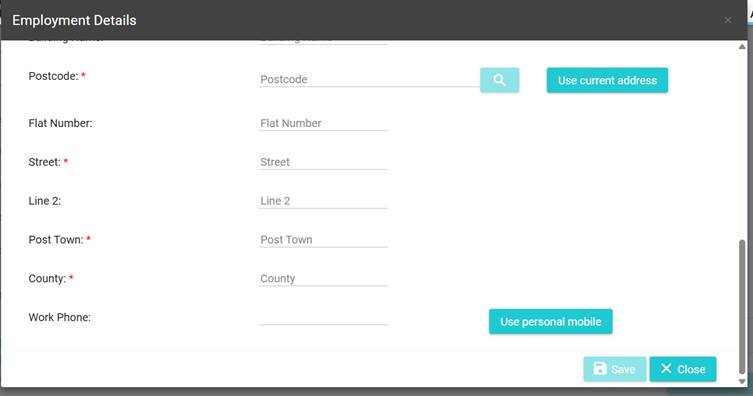
Once you have added the employment details, scroll down the form to complete the employment address. (If you don’t know the address, you can use the lookup functions to help you find the employment address using the company name:

If the applicant is self-employed, you can use the “Use current address” option to copy the applicant’s address to the employment.
We require 3 years of employment history. To add more, repeat the process.