
How Can We Help?
Task Type – Notes
Sometimes, we might ask you for some information via a note; these types of tasks simply require text back from you and do not require a document.
To complete a note, firstly edit the task either by using the Activity Feed or by using the Documents and Tasks tab.
When you are editing the task, you will see a notes area, simply click in this area to provide the text to AU Finance.
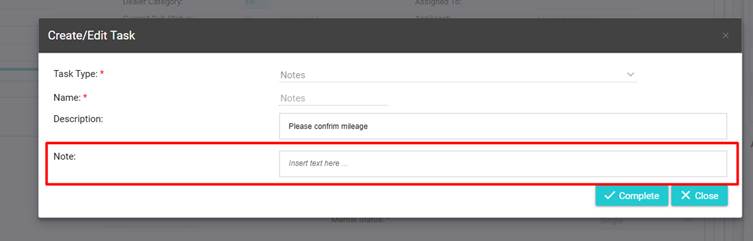
Once you have added your note, simply click on the “Complete” button to provide the information back to AU Finance.
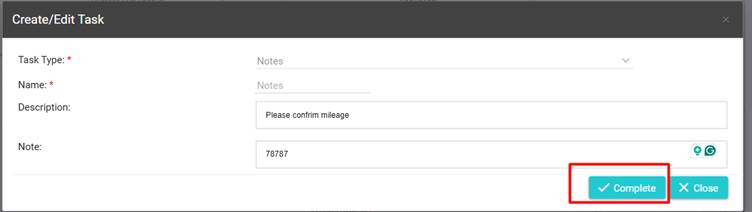
The task will now close.
Note: Closed tasks can not be edited, but are still visible, in order to provide visibility of everything that has been requested on an application.