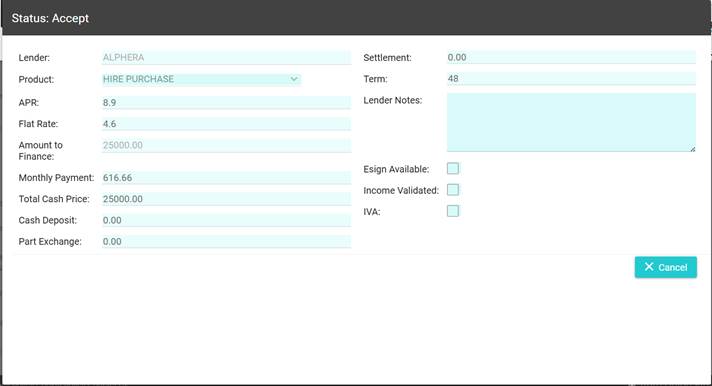
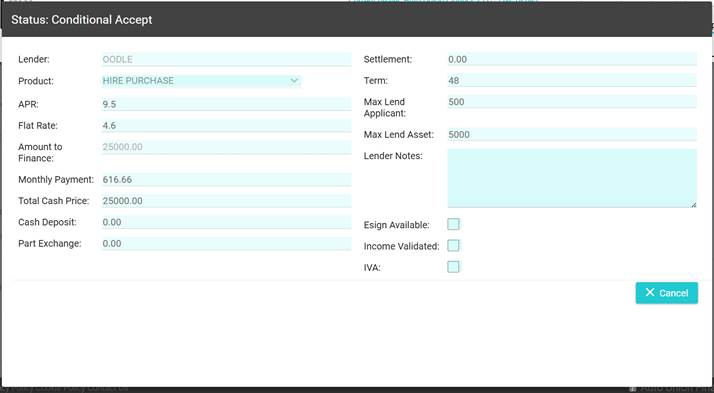
How Can We Help?
Viewing an acceptance
Once we get an acceptance or conditional acceptance back from the lenders, you will be able to view this in real time on the Lenders page.
On acceptance, you can either:
- View the acceptance
- Request documents.
To view the popup, simply click “View” in the View Acceptance column on the Lenders page
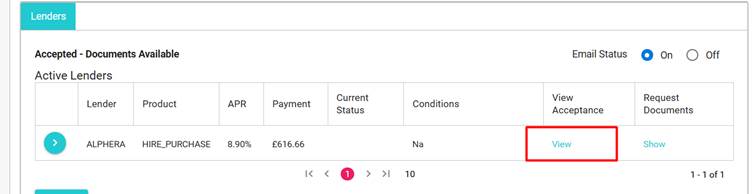
A pop-up will appear, depending on the type of acceptance that has been achieved, the pop-up will contain all the information and terms for the approval. in the event of a conditional acceptance, you will see any restrictions, i.e. max lend on the asset.