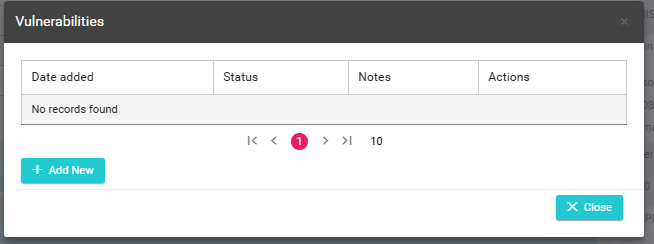
Manage Vulnerabilities
Sometimes our customers want to let us know about additional needs they may have.
This can be done via your portal.
On the right side, you will see “Manage My Agreement.”
You will then see “Manage Vulnerabilities”

From here you can let us know of any additional needs or requirements you may have. You can also remove a previously added vulnerability.
How Do I add vulnerabilities?
To begin, click on Manage Vulnerabilities, under the Manage My Agreement section.
On the popup simply click on “+ Add New”
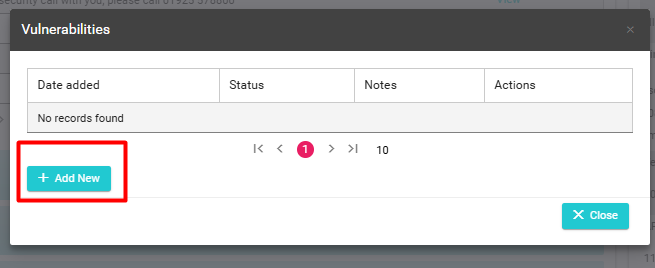
A new screen will appear.
In the text box please provide as much information as possible on what you wish to inform us of:
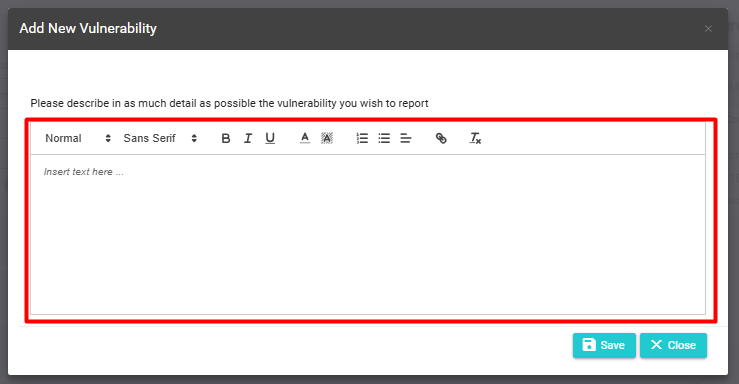
Once you have completed this, simply press Save.
Please note, That adding a vulnerability to an application has no impact on the overall decision.
How do I remove vulnerabilities?
To remove a vulnerability, simply click on Manage Vulnerabilities under the My Agreement Section.
You will see the vulnerability that has been added to the agreement. On the action column simply click on delete.
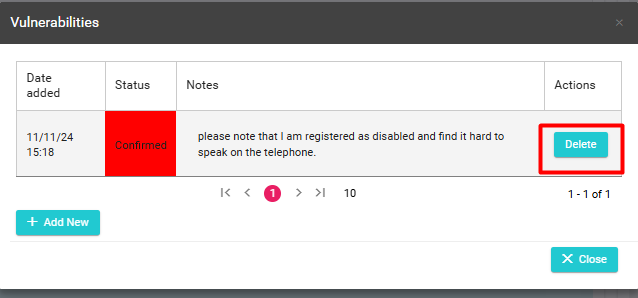
You will be asked to confirm your choice.
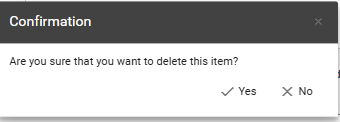
The vulnerability will then be removed.