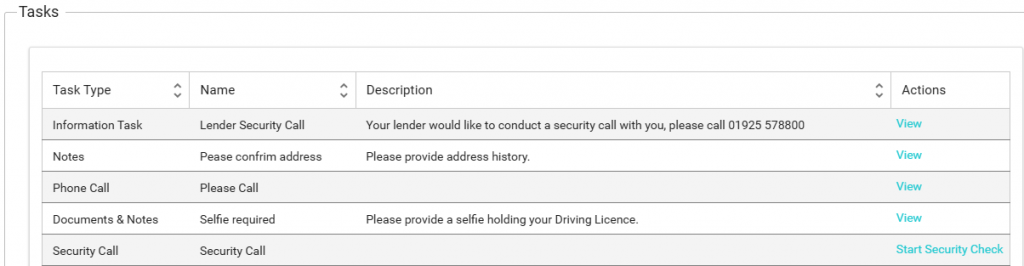
Task Type: Documents
During the process, it’s likely that we will need documentation from you, and sometimes we might need to send you documents.
In your task table you will see the task type of Documents:
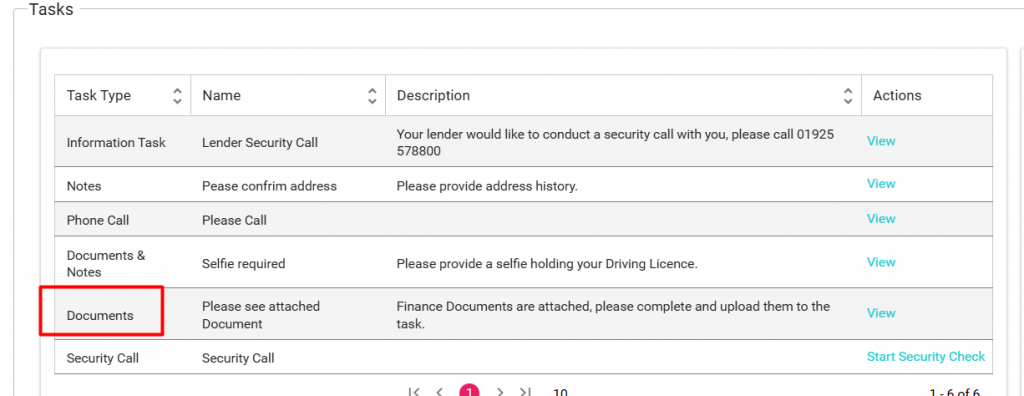
A short description will be visible for you to see what is required on this task, in this example AU finance is providing paper documents to you.
To get started, click on “View”
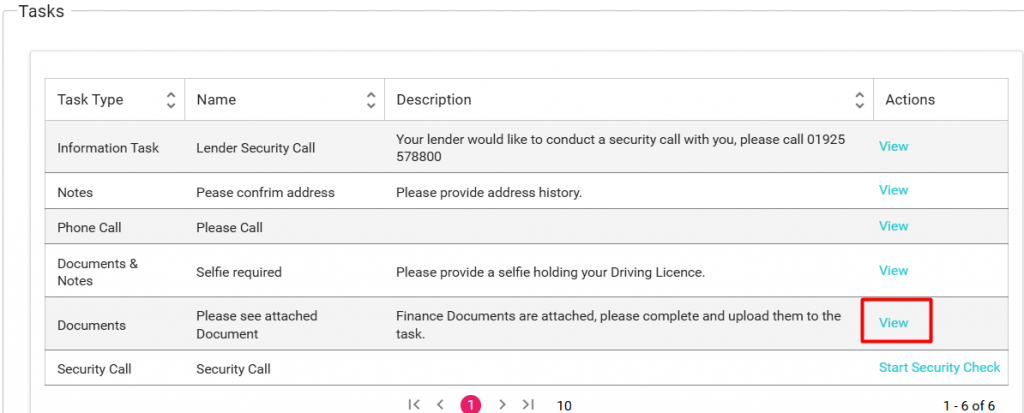
In this example, we are providing documents to you, therefore you will see the documents in the task, but sometimes we might ask you for documents and in this situation no documents would be available for download.
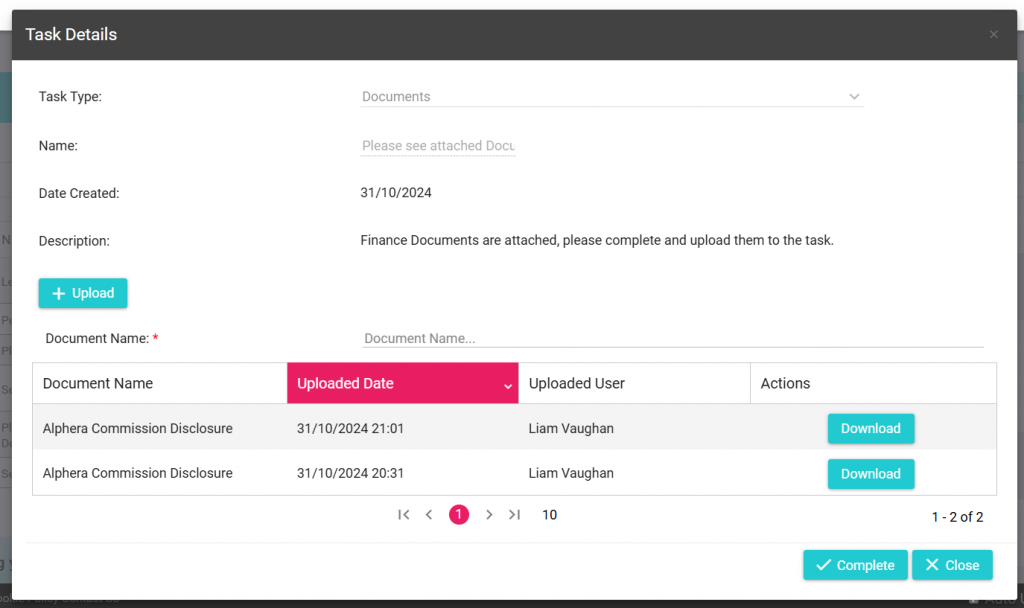
Downloading documents:
To download a document, simply click on the download button located on the task.
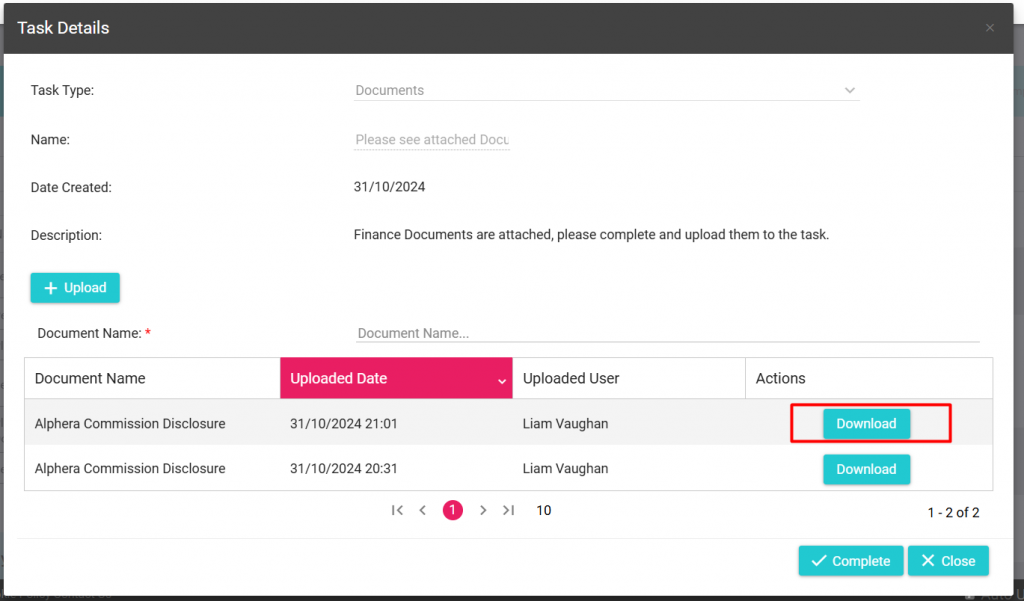
According to the task description, we need to upload the completed documents back to AU Finance, therefore we will not click Complete on this task window.
Uploading documents.
To upload documents back to AU Finance, simply click on the “+ Upload” button,
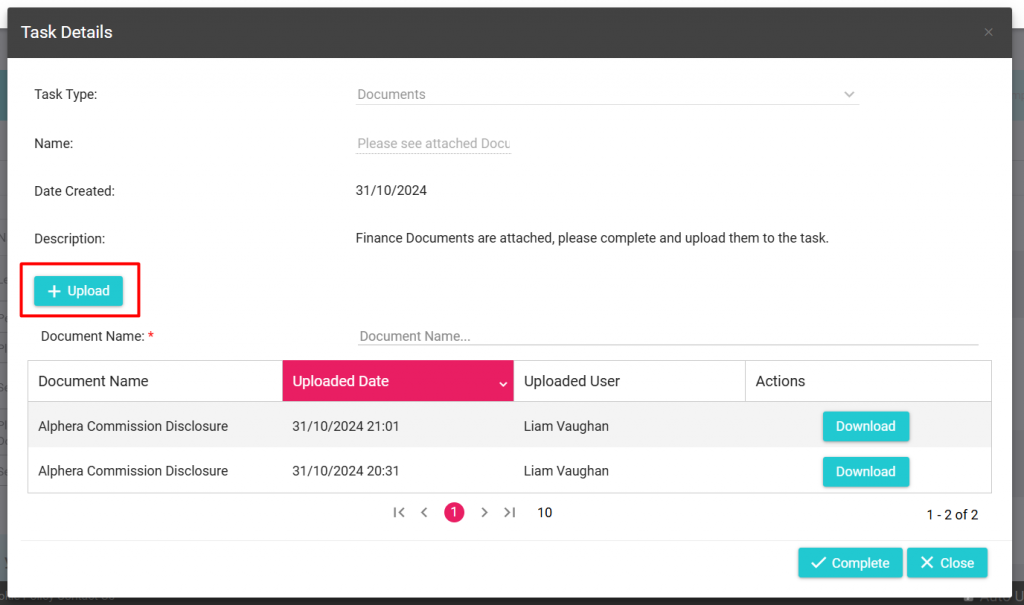
You will then be presented with your files:
Select the file and select open (Please note, that on mobile and other devices the wording could be different)
The document will now appear in the document area:
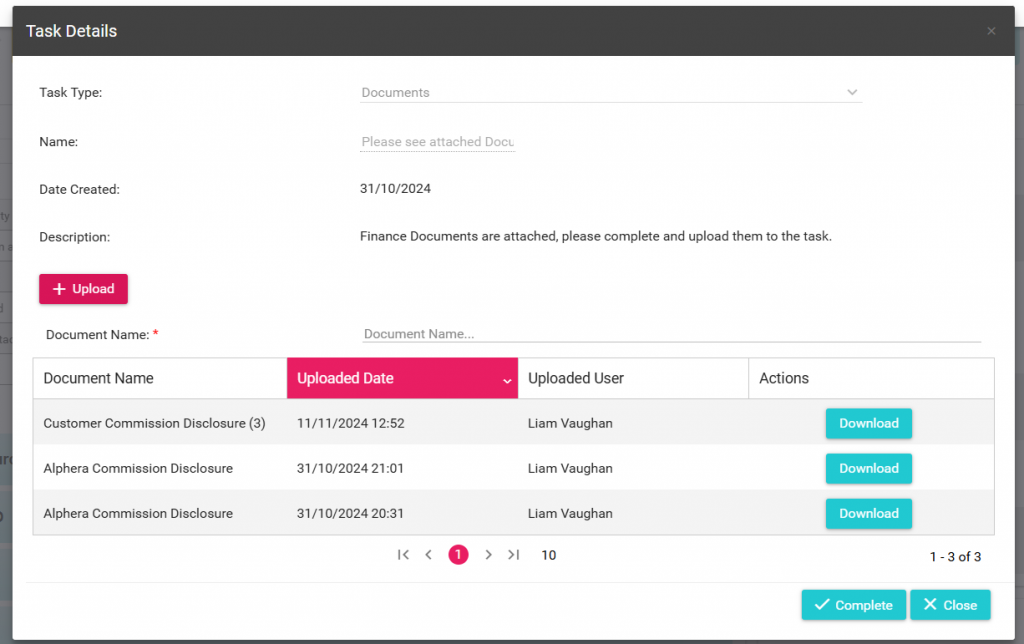
If you have completed uploading all your documentation you will now need to close the task.
Closing the task.
When you have finished downloading/uploading documents to AU Finance, you must now close the task.
Simply click on the complete button to do this:

AU Finance will now receive the documentation and resume processing of your application, please note this task will now be hidden from your task list.