
Adding users
When joining AU Finance, each dealership will be issued with a signup link for the main contact, we call this user the dealer administrator.
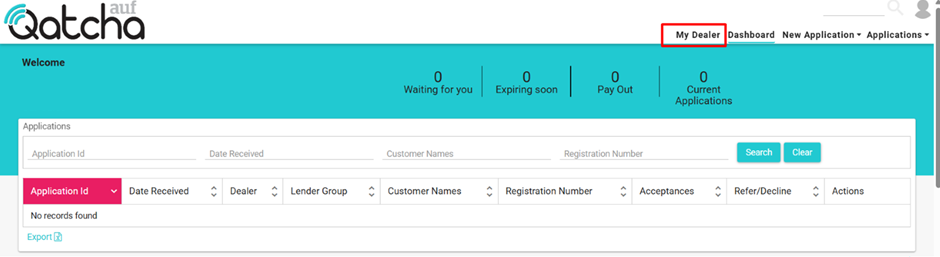
Each dealer administrator can add and remove other users using the Manage My Dealership section on Qatcha, located in the My Dealer tab on the system.
Once you have logged in, click on “My Dealer”
Select, manage my dealership.
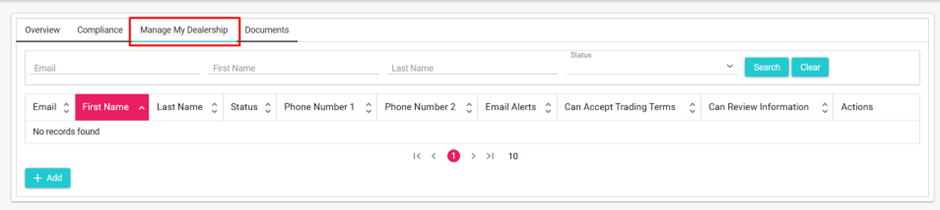
To add a new user, simply click “+ Add”
A pop-up will appear asking for some basic details. Once complete, click invite.
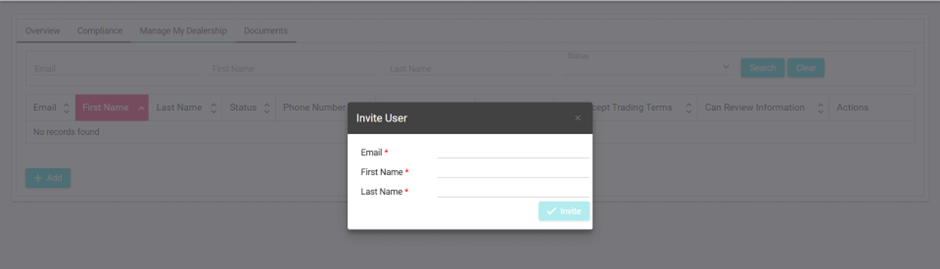
The new user will receive an email invite to create an account.
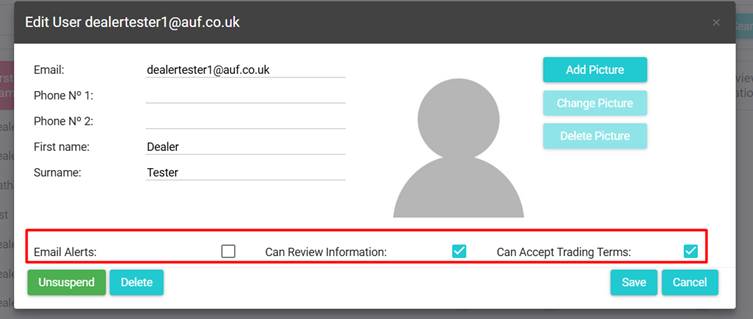
By default, new users will not receive email alerts or be able to accept trading terms or review information.
If you wish for the user to do this, select edit and enable the required options.
Please note: If you have multiple branches, the user must be added to each applicable branch.
By default, they will only be assigned to the active branch. For further assistance with working with multiple dealerships, please see Multiple Branches.