
Updating Customer details
Once you are viewing an application, you can make the required changes to a customer using a few simple clicks.
Note: We do not allow the customer to be edited when the status is “With Lender” or if the application is in any of the payout statuses. – Learn more about the workflow here
To update a customer, simply click the edit button located under the Applicant details section.
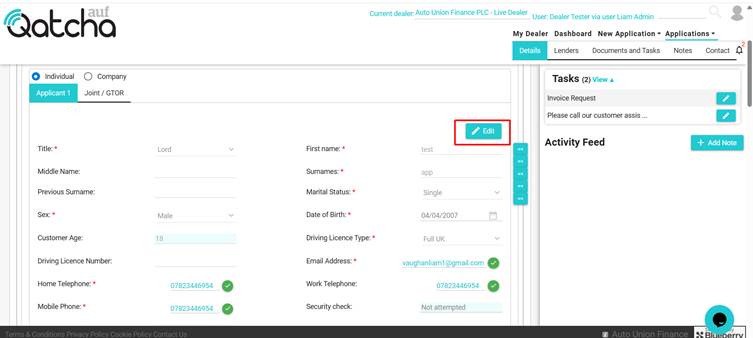
You are then free to change any of the required fields, or add a Joint / GTOR
Once you have finished making the changes, click save.
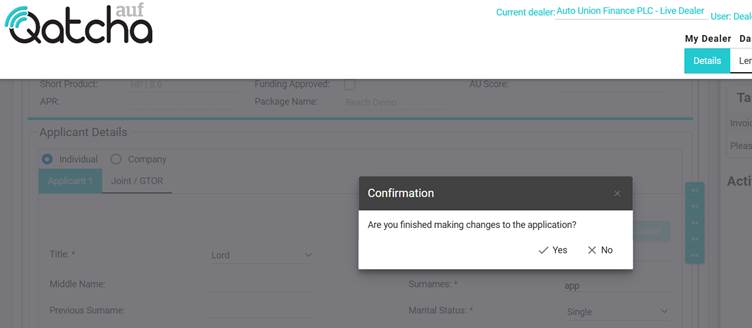
A pop-up will appear.
IMPORTANT: If you have finished making all the changes to the application, please click “Yes” if you are required to make further changes, please click No.
Upon clicking yes, the application will be automatically sent to the lender(s).
See also:
Adding / Changing address
Adding / Changing Employment
Adding / Changing Bank Details
Adding / Changing Asset
Adding / Changing Figures
Changing to Distance Sale