
Tasks – Introduction
During the application process, there are a number of tasks that will be generated, some tasks will be shown to the customer on their customer portal, where they can complete the process themselves. If a customer needs help with this guidance can be found here:
Typically, as a Dealer partner, we will only ask you for your invoice, and sometimes maybe HPI clearance.
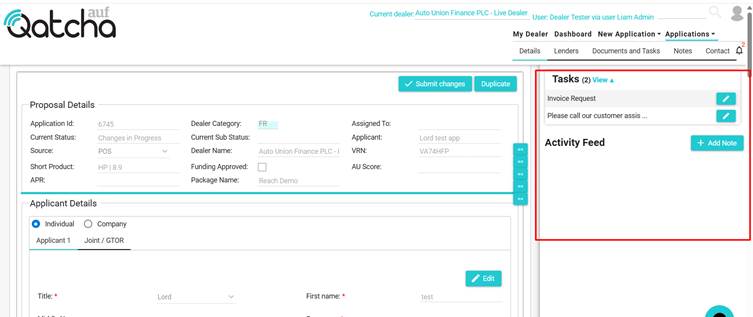
All tasks can be viewed in the activity panel.
TIP: The activity panel can be opened and closed by clicking on the bell icon.
When an open task appears, you will see a pencil next to the task; simply click the pencil to begin providing information.
There are several Task Types within the system, for help completing these, please refer to the relevant link below:
Invoice Task type
Note Task type
Information Task Type
Document / Note Task Type
Document
If you are using a mobile device, the activity feed will be hidden by default, You can either click on the bell to reveal this, or visit the Documents and Tasks page.